
Five signs your business has outgrown spreadsheets
Five signs your business has outgrown spreadsheets — double entry, version chaos, no audit trail, hand-built reports, and tools that don't talk.
By CINEM Team
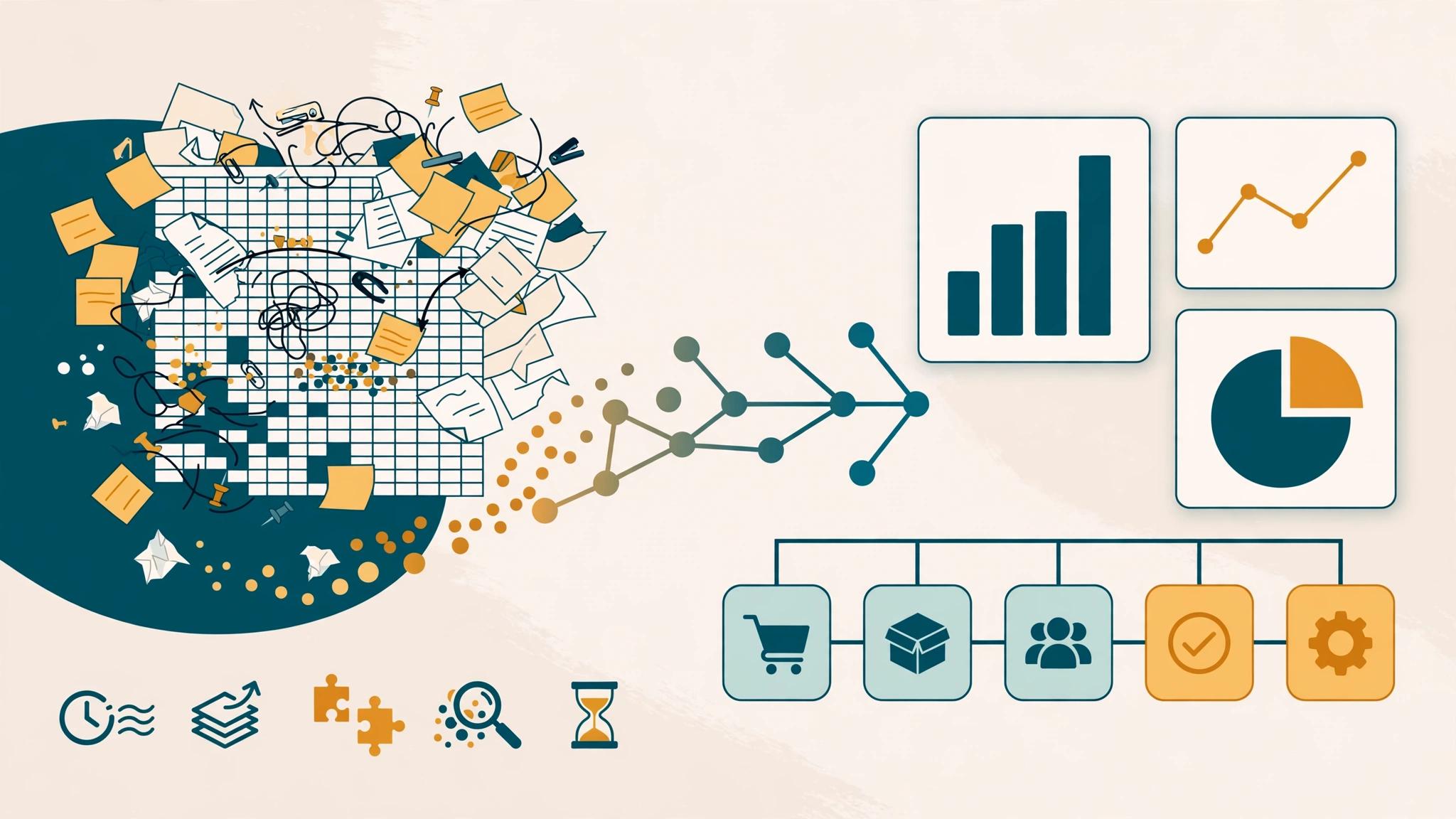
Spreadsheets are the most successful business software ever made, and they are also the place where growing businesses go to stall. The spreadsheet that ran a five-person team becomes the bottleneck at fifteen people — not because anyone did anything wrong, but because the business outgrew the tool. The signs are easy to recognise once you know them, and they usually appear years before anyone admits the spreadsheet is the problem. This guide is the five signs, and what to build first when you see them.
The short answer
Your business has outgrown spreadsheets when the same information is typed twice, when nobody knows which version of a file is current, when there is no record of who changed what, when reporting is done by hand every week, or when your tools do not talk to each other. Any one of these is a warning; two or more is a system waiting to be built. The fix is rarely a bigger spreadsheet — it is a single-purpose internal tool, which we build from $2,999, or a department system from $7,999.
1. The same information is typed twice
The order is taken on WhatsApp, typed into a spreadsheet, copied into an invoice, and typed again into a delivery sheet. Every copy is a chance to mistype a number, and every mistype is a wrong order, a wrong invoice, or a customer told the wrong thing. Double entry is the first sign because it is the most expensive: you are paying people to move data between systems that should be one system. The fix is a single source of truth — one place where an order lives, and every other view reads from it.
2. Nobody knows which version is current
There is a file called Final, a file called Final-v2, a file called Final-USE-THIS-ONE, and a file someone emailed last Tuesday that may or may not be newer than all of them. When two people work from different versions, the business makes decisions on numbers that are already wrong — and discovers it only when the numbers disagree in a meeting. Version chaos is not a filing problem. It is the absence of a system that holds one version, with permissions, and a history of who changed what.
3. There is no audit trail
A number changed, and nobody knows who changed it, when, or why. A discount appeared that nobody approved. A stock count moved by itself. In a spreadsheet, the past is whatever the last save says it is. In a real system, every change has a name, a time, and a reason attached — which is the difference between an argument and an answer when money is involved. Businesses that handle customer money, stock, or regulated records feel this sign first, and it is the one that carries the most risk.
4. Reporting is done by hand, every week
Every Friday, someone opens five spreadsheets, copies numbers into a sixth, and builds the report the owner needs for Monday. It takes hours, it breaks when anyone is on leave, and it is out of date the moment it is finished. Reporting by hand is the clearest sign that the data exists but the system does not: the business is doing the computer's job, slowly and with errors. A dashboard fed by live data replaces the Friday ritual entirely — and the hours it returns are the easiest return on investment in custom software.
5. Your tools do not talk to each other
The shop system does not talk to the accounts. The WhatsApp orders do not talk to the stock sheet. The delivery list does not talk to anything. Every gap is bridged by a person, copying and pasting, and every bridge is a place where information is lost or delayed. Integrations are the most commonly underestimated line in a custom software quote, and the most common reason a project overruns — but the cost of not integrating is paid every single day, in hours, in errors, and in customers who were told the wrong thing.
What to build first
Start with the narrowest system that removes the worst sign: one workflow, one user group, the data that already exists. An internal tool that replaces the spreadsheet-and-WhatsApp workflow for one team is the right first build for most businesses — a single-purpose tool from $2,999, a department system with roles, dashboards and integrations from $7,999, and company-wide platforms from $15,000. The discipline is in what version one leaves out: one workflow, done properly, proves the case for the next one. Resist the temptation to build everything at once — a system that tries to replace five spreadsheets in its first version usually replaces none of them well, and the team goes back to the old files within a month. A narrow first version also gives you something measurable: hours saved per week, errors removed, decisions made on current numbers instead of last month's export. If the first system cannot show that return, the second one should not be built. Our guide to custom software development cost explains how to read any quote for that first build — including ours — with clear eyes.
Frequently asked questions
How do I know if my business needs custom software?
When the workflow is the advantage — when how you work is what makes you competitive — or when no packaged tool fits without painful workarounds. If two or more of the five signs above sound familiar, a conversation about a first system is worth having.
Is custom software better than buying an off-the-shelf tool?
It is better when the workflow is specific to your business, or when no packaged tool covers 90% of the need without workarounds. It is worse when a standard tool covers the need: the remaining 10% is rarely worth a custom build. Start with a one-page list of must-haves, written before any demo or quote.
How much does a first internal tool cost?
A single-purpose internal tool starts at $2,999 with CINEM; a department system with roles, dashboards and integrations starts at $7,999. The price follows the number of user roles, the integrations, and what production-ready has to cover — our custom software cost guide sets out the ranges in full.
Can I keep using spreadsheets for some things?
Yes — and you should. Spreadsheets are excellent for analysis, planning, and one-off work. They are a poor database, a poor workflow, and a poor audit trail. The goal is not to eliminate spreadsheets; it is to stop using them for the jobs they were never built to do.
If two or more of these signs sound familiar, send us the workflow — or just describe the spreadsheet that hurts most, in a paragraph. We will reply within one business day with an honest view of what a first system should include, what it should cost, and whether custom is even the right answer. You can also write to us directly at hello@cinem.tech, or explore our custom software service first.